Features
What Zed Launcher does, with screenshots from version 1.0.0.
Server list and filters
The list comes from Steam and covers every DayZ server that answers queries, over 13,000 of them. Our server asks each one for players, queue and time of day every 2 minutes and for its mods every 10 minutes. Ping is measured by the launcher from your PC.
Servers that report fake player counts or absurd queues are hidden.
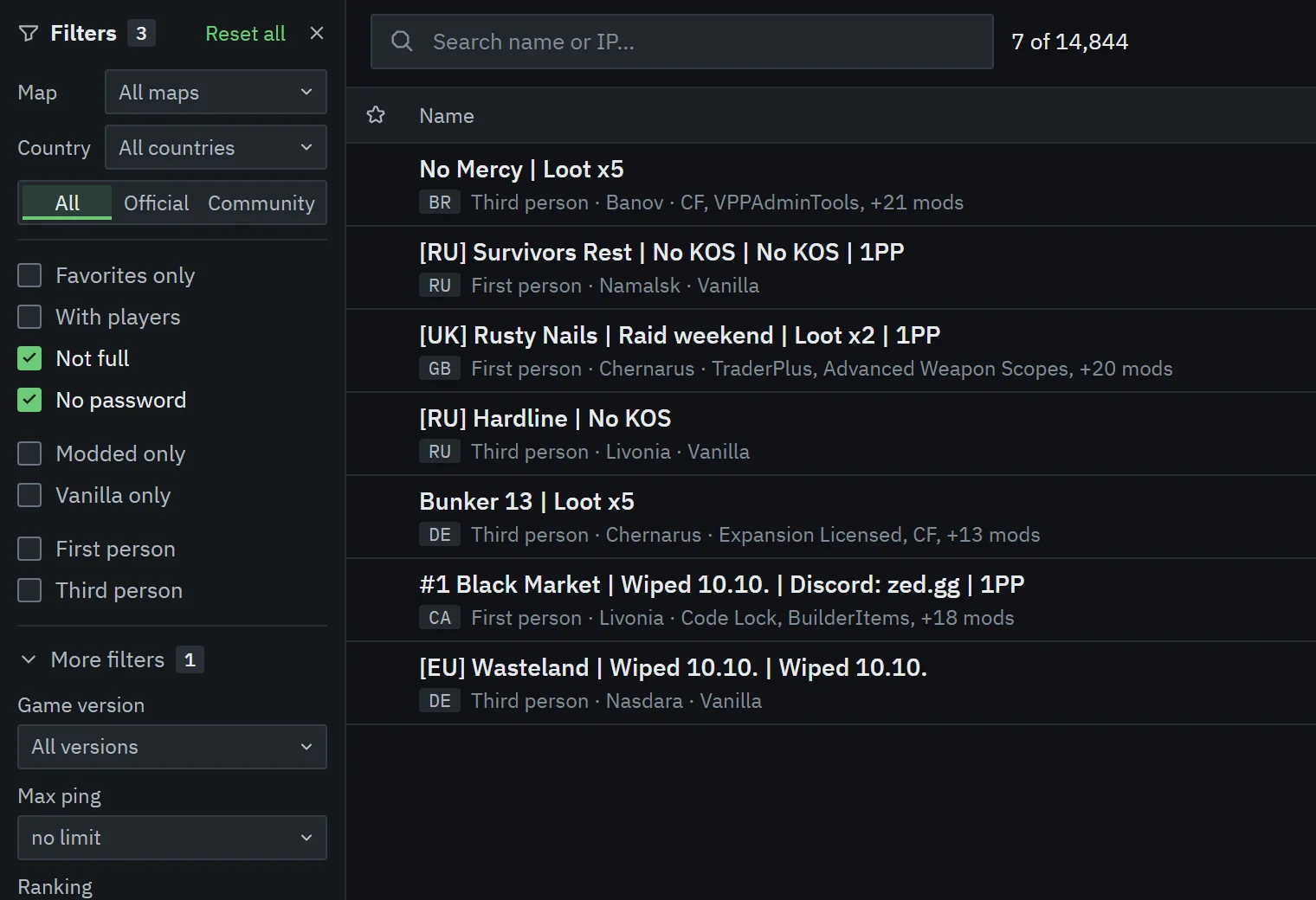
Filters
- Map and country (the country comes from the server’s IP address)
- First or third person
- Favorites only, with players, not full, no password
- Modded or vanilla only
- Game version, with the current one marked
- Maximum ping
- Ranking: Top 10, 50, 100, 500 or 1000
- Contains mod, by name or Workshop ID
- Official or community servers
Favorites, history, direct connect
Star a server to keep it in Favorites. History lists the servers you played on, and Play again in the top bar starts the last one. Direct connect joins a server by IP, including one that isn’t in the list.
Server info
Info shows the players with how long they’ve been online, the mods with their sizes and which ones you’re missing, the map, time of day with acceleration, game version and rank. A server that runs a different game version than yours gets a warning before you join.
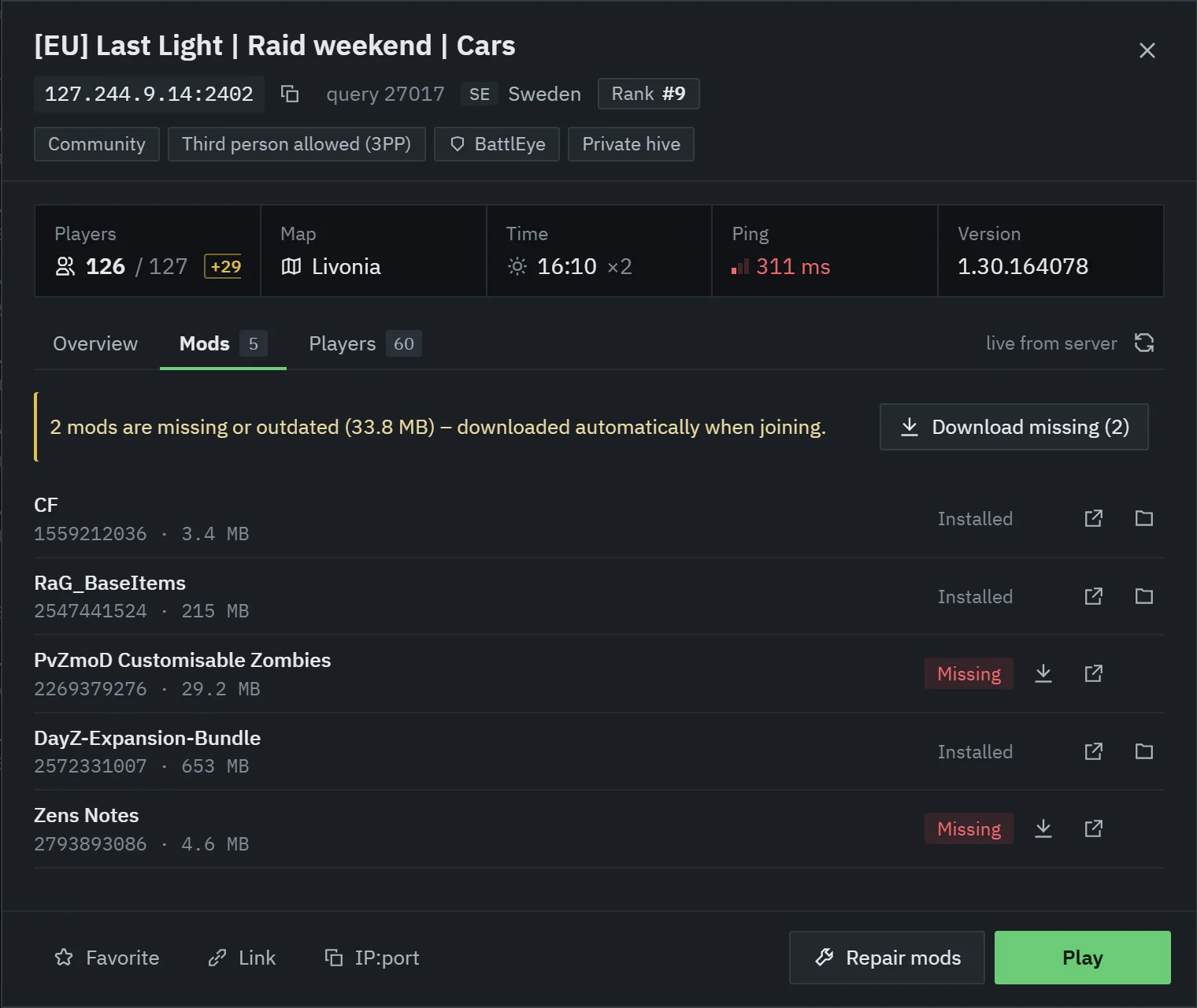
Ranking
Rank is the average number of players over the last 7 days (168 hours), recalculated every hour. A new server gets a rank after 24 hours of data. A server with a suspicious player count doesn’t get one.
Featured servers are pinned at the top with a label and keep their real rank. Being featured doesn’t change the ranking.
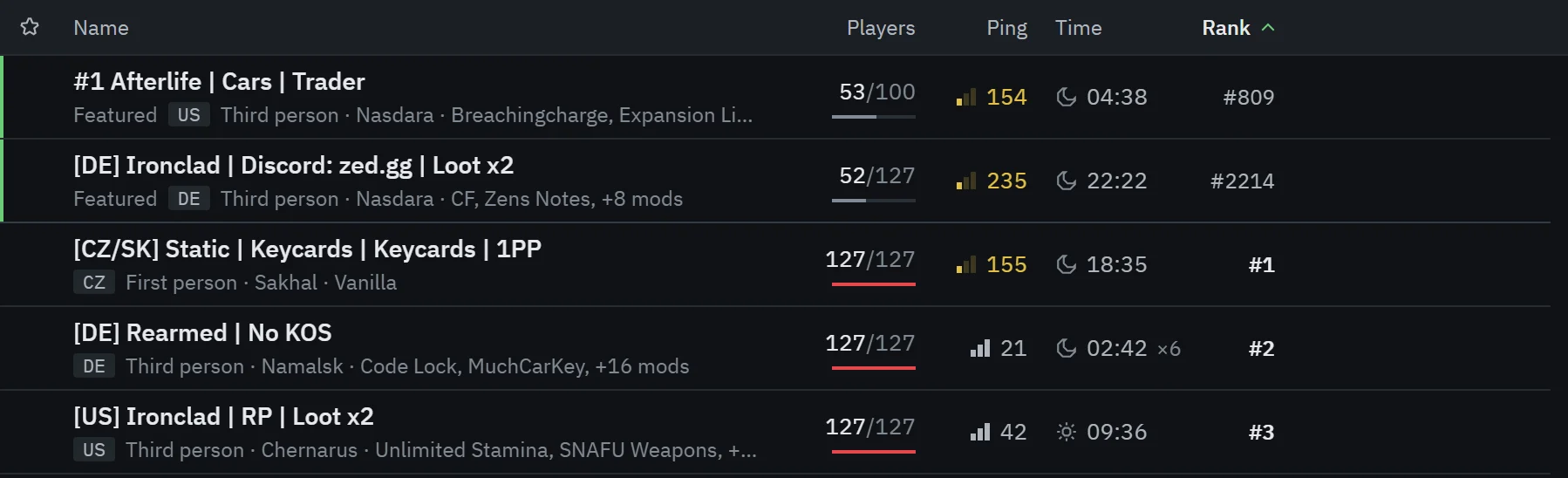
Mods
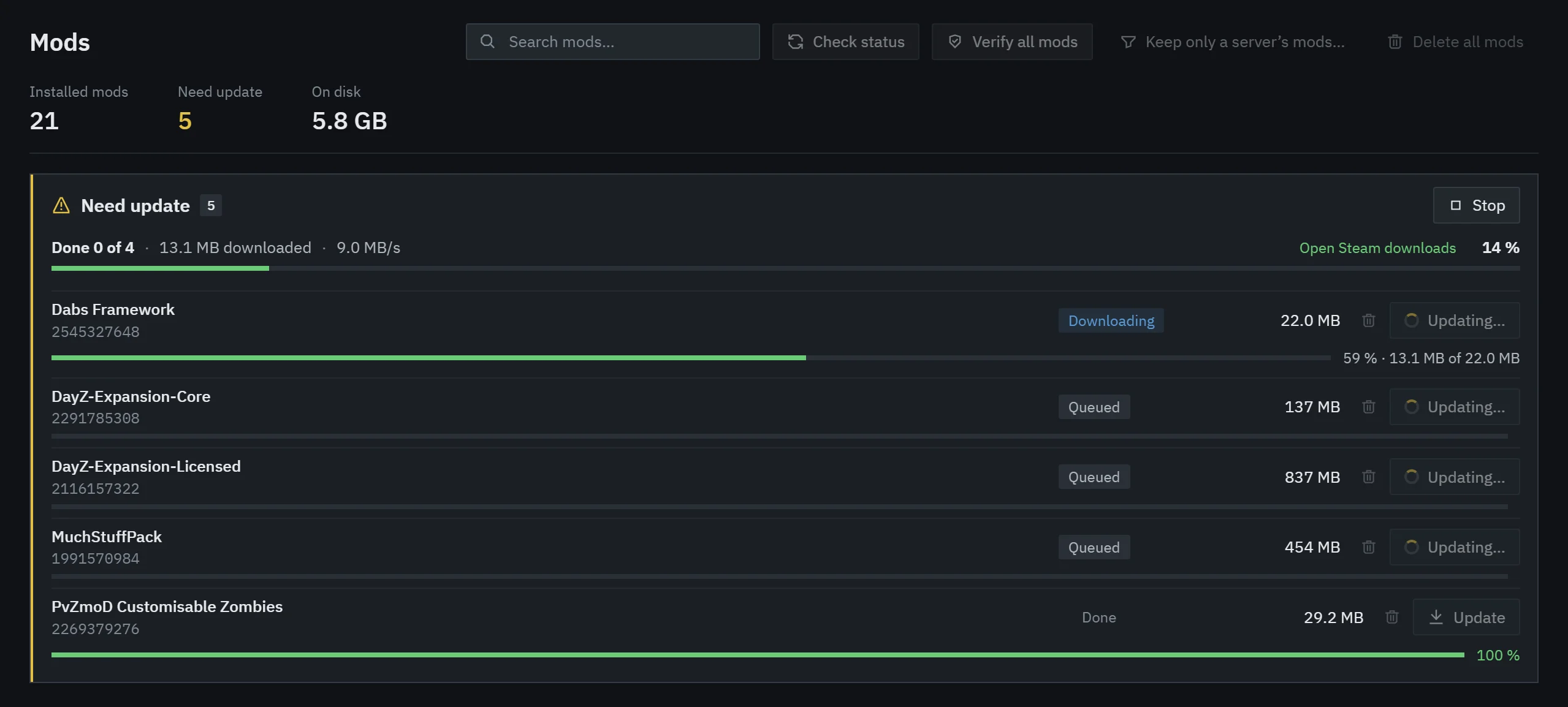
When you click Play, the launcher compares the server’s mods with what you have, subscribes to the missing ones in Steam and waits for Steam to download them, with progress for each mod. Then it links them into the game folder and starts DayZ with the right mod list.
Steam downloads into the Workshop under your account. The launcher copies nothing; it only creates links in the !zed folder inside the game folder.
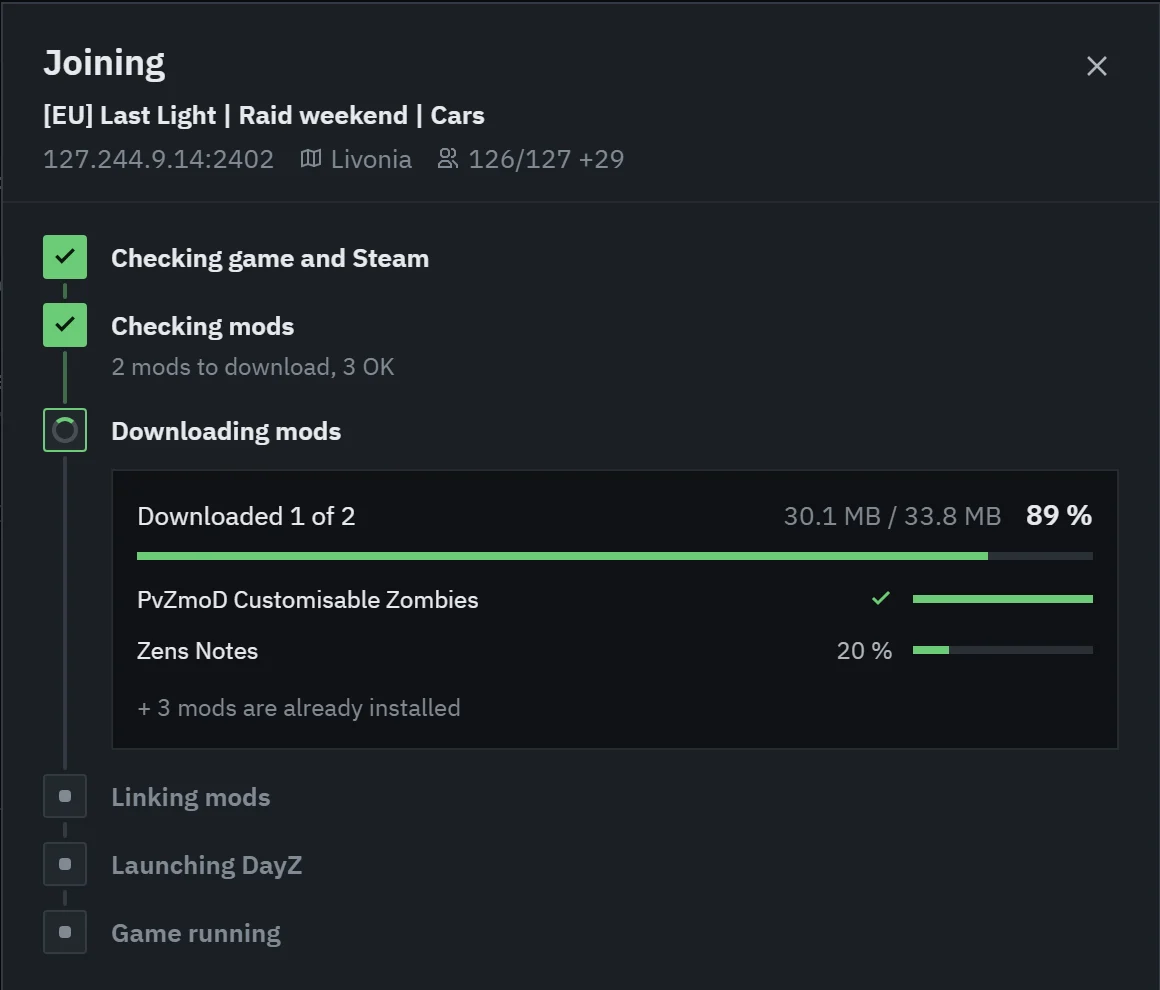
Mods page
Every downloaded mod with its size and whether it’s up to date. The launcher checks versions directly against the Workshop, so it also finds mods that Steam still thinks are current. Update all downloads them in one go, and Verify all mods has Steam check every mod and download broken ones again.
You can uninstall one mod or all of them. They download again on their own when you join a server that needs them.
Repair mods
If the game complains about a mod, open the server’s Info and click Repair mods. The launcher verifies the server’s mods and downloads the broken ones again.
Zed Addons
Add-ons only change game and Windows settings or draw in their own window over the game. They never touch the running game or its memory, so they don’t conflict with BattlEye.
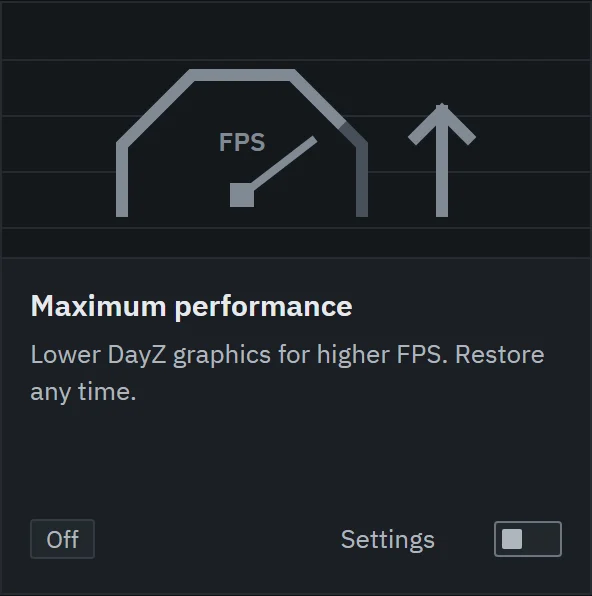
- Maximum performance
- Lowers demanding DayZ graphics settings for higher FPS: shadows, object and terrain detail, ambient occlusion, anti-aliasing and VSync. Keeps your resolution. Your original settings are backed up and can be restored any time.
- Launcher colors
- Pick the color of the title bar, buttons and active items. Applies immediately.
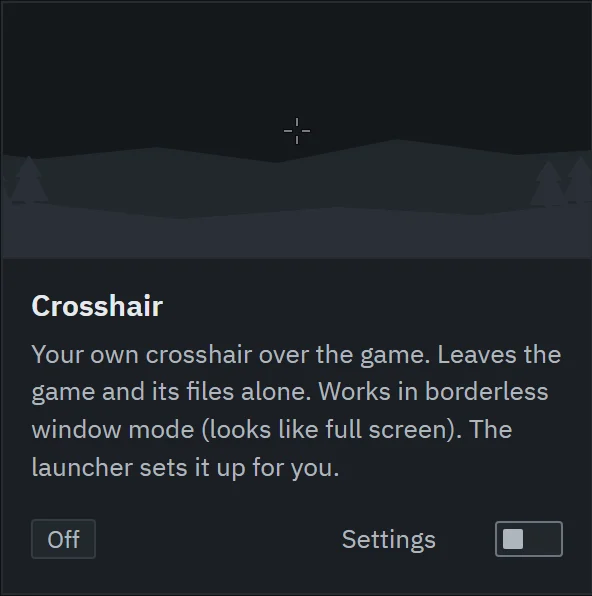
- Crosshair
- Your own crosshair in a separate transparent window over the game. Shows only while DayZ is running and doesn’t modify the game or its files. It needs DayZ in windowed or borderless mode. Some servers ban custom crosshairs in their rules, so check them.
- Performance monitor
- CPU, GPU and memory load while you play, in a screen corner and in your session history.
Updates, Discord and links
Updates
The launcher checks GitHub for a new version. At start it installs the update right away. While it runs, it downloads in the background and restarts after a short countdown that you can postpone. It doesn’t restart while DayZ is running. Automatic updates can be turned off in Settings.
Discord
Optional: your Discord friends see which server you play on, the map and the player count. It’s off until you turn it on in Settings.
Server links
Link in a server’s Info copies a zed:// link that opens the same server in Zed Launcher. Server owners can post zedlauncher.com/join links, which work on Discord and websites.
Languages
English and Czech. The launcher follows your Windows language, and you can change it in Settings.